
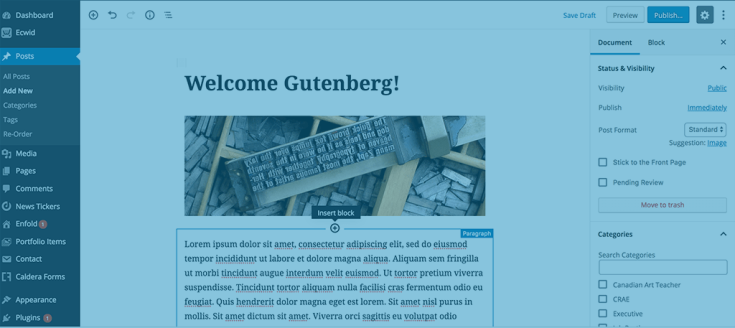
I don’t like the WordPress block editor known as Gutenburg. I started working with WordPress in 2007. Because of that fact, I’m accustomed to using either the Visual or even the Text editor when working on a page or a post. I find using Gutenburg to be cumbersome when using it to write a post or content to a page.
I definitely don’t see any advantages in using the block editor to write content. Because of this fact, I began using a plugin that deactivates Gutenberg. It’s called Classic Editor.
It works brilliantly at making Gutenberg go away. That said, I recently deactivated Classic Editor and uninstalled it. I did that because I discovered I could turn Gutenberg off by adding a single line of code to my theme’s functions.php file. It’s very easy to do.
How to turn off Gutenberg for everyone
Copy and paste the following code at the bottom of your website’s child theme’s functions.php file:
add_filter('use_block_editor_for_post', '__return_false');How to turn off Gutenberg for a specific user
If you have multiple users who log into WordPress and they don’t all dislike the block editor, you can turn it off for a specific user. Copy and paste the following code at the bottom of your theme’s functions.php file:
$current_user = wp_get_current_user();
if ($current_user->user_email == 'info@richard-rottman.com') {
    add_filter('use_block_editor_for_post', '__return_false');
}
Change the email address between the single quote marks to that of the user who doesn’t want to use the block editor before saving the file.
How to turn off Gutenberg for two specific users
If you have more than one user who doesn’t want to use the block editor, use the following code:
if (( $current_user->user_email == 'info@richard-rottman.com') || ( $current_user->user_email == 'rlrottman@gmail.com')) {
    add_filter('use_block_editor_for_post', '__return_false');
}
Again, change the email addresses inside the single quote marks to the email addresses of the users who don’t want to use the block editor.
In conclusion
Gutenberg always seemed like a feature in WordPress that nobody asked for. Unfortunately, it looks like it’s around for good.