Saturday, August 16, 2008
The people that make WordPress, the world’s most popular blogging platform, have released the newest version, WordPress 2.6.1. I just performed the upgrade and everything went without a hitch. Not that I know really what a hitch actually is.
Back when I had this blog hosted on GoDaddy, upgrading WordPress was always a nightmare. Problems I attributed to WordPress were in all actuality problems with GoDaddy. I can’t stress enough to people that GoDaddy should be avoided like a three-day old hotdog at 7-11. Not only did hosting my blog there cause a whole host of difficulties (i.e. feeds not working), the interface at GoDaddy was a pain in the ass. It was as though they designed the interface to subject you to as much advertising as they could. I was constantly having to go from one window to another window to do the most basic things.
I would encourage anyone needing blog hosting service to look no further then AQHost. They are cheap, easy to use, and they are quick to reply to any question of concern.
Posted In WordPress | Permalink | No Comments
Not that I really know how intense 1,000 suns are, but I can imagine. I’m just getting tired of dicking with WordPress.
Yesterday I had a problem that resulted with nothing but the header image loading. I ended up fixing it be reloading WordPress 2.5. So far, so good. I would like to upgrade to the latest build of WordPress, version 2.5.1, but when I do just that, the RSS feed to my blog dies. Why? Who knows. I’ve read on the WordPress forums about other people having the same problem, but I haven’t read anything that solves the problem. It’s just another one of those WordPress “mysteries”.
(more…)
Posted In WordPress | Permalink | 3 Comments
The newest version of everyone’s favorite blogging platform is now available as a free download. I told myself I wasn’t going to upgrade anymore until I was certain it was bug free. For some reason this morning I felt like living life on the edge and decided to spice things up by doing the upgrade.
So far, so good.
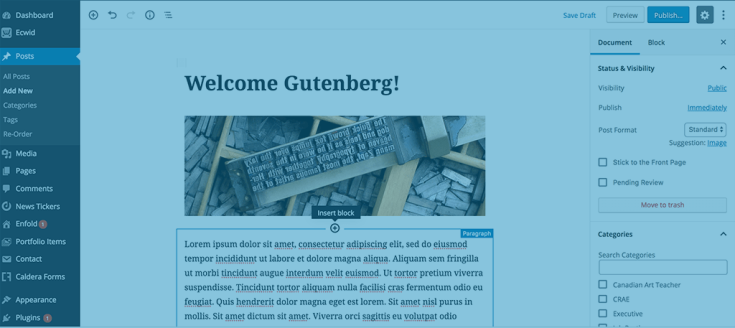
They actually changed much of the interface. The look is totally different. The dashboard used to be a sloppy, confusing place. Now it is much more streamlined. Everything seems to be set up in a much more user-friendly manor. Of course you wont ever see this unless you are a WordPress user. The actual blog looks the same. The actual blog acts the same. At least from what I can tell so far.
It appears that the ability to embed YouTube videos is built right into the platform, making the use of third-party plugins unnecessary. With prior WordPress versions, you would have to post in the non-visual editor mode to post a YouTube video. Otherwise the WYSIWYG editor would botch the YouTube formating. I wont know for certain until I try to embed a video, but it looks like I should be able to do it.
If you are a WordPress user and you are wondering about doing the 2.5 upgrade, by all means do it.
Posted In WordPress | Permalink | 1 Comment
I have this blog registered with the Comic Book Weblog Update Page. It’s run by Chris Mosby. People that have comic book related blogs sign their blog’s RSS feed up with Chris and when they write a new post on their blog, it shows up on Chris’ site. The only problem is that I post about more then just comic books. People going to Chris’ Comic Book Weblog Update Page probably don’t want to read about my posts where I complain about my psoriasis. I wanted an RSS feed that would only syndicate posts that were posted to a specific category.
That specific category being ‘Comic Books‘.
I looked at the WordPress documentation and found a fairly easy way to do it. All I had to do was put the word “feed” and the end of the url for archive page containing all of my posts filed under ‘Comic Books’.
http://www.bentcorner.com/category/comic-books/feed
That’s it. That’s all I had to do. I’m posting this now for two reasons - so I remember how to do it and I figure if I wanted to know how to do it, somebody else might too.
Posted In WordPress | Permalink | 1 Comment
Monday, December 31, 2007
If there is one thing I hope 2008 brings is an end to comment moderation. You read an interesting blog post and you decide to leave a comment. You put your thoughts down in the most coherent way that you can, making sure your grammar is correct and your spelling is right. You then type in the series of fuzzy letters and numbers appearing on the screen to prove that you are not a robot. Why is it that a robot can be programed to drive around on the surface of Mars and send back photos but it can’t be programed to type “er57z” when it appears on the screen?
You then press Enter and wait for your comment to appear. Instead of seeing the comment you just posted, you see a message that says something like this:
Your comment has been submitted and will be viewable once it is approved
Why must my comment be approved? I typed in the short string of fuzzy numbers and letters proving that I was not a robot. Why then do I have to have my comment approved?
I just don’t see the point. Why do some bloggers do this? What are they afraid people are going to say? Are they worried that they are going to be called a derogatory name or that a disparaging thing is going to be said about their blog? If so, it’s time to grow up. Stop being such a pussy. Either let people leave comments or don’t. Don’t insist on micromanaging each little thing someone has to say. It’s pathetic.
The thing I hate the most about bloggers that insist on approving comments is that they never inform you ahead of time that they will need to approve your comment. They could save everyone a whole bunch of time by letting that fact be known ahead of time. Not only do I not what to leave a comment if it must first be approved, I don’t want to read comments left by other readers. If the comment section doesn’t truly reflect what other readers are thinking, I don’t want to waste my time reading it.
Posted In WordPress | Permalink | 6 Comments
A while back I noticed a problem with my rss feed. I initially blamed Feedburner. My blog wasn’t always updating on the syndication side of things. I would write a new post and it wouldn’t always show up in the feed. I ended up removing Feedburner and just going with the syndication built right into WordPress.
I thought that fixed it. I was wrong.
I noticed a couple of days ago that Bent Corner was no longer showing up on Comic Web Blog Updates. It’s a site that you can go to and see a list of blogs dedicated to comic books. When one of the blogs listed with the site posts a new blog post, the blog along with the title of the new post is shown on the site. It’s a good way to keep up with what’s going on in the comic book blogosphere.
I noticed that the Comic Web Blog Updates website was still using my old Feedburner feed to get updates. I emailed the administrator and asked if he could update to the new WordPress feed. I got a response that evening saying that he tried to run the new feed through a feed validator and it came back as an invalid feed. What?
Sure enough, he was right. If you submit the regular built-in WordPress feed (http://www.bentcorner.com/feed/) to one of the feed validators, you will get a “Server returned HTTP Error 404: Not Found” error. You would think with an error such as this, the feed wouldn’t work at at. You would be wrong. The feed seemed to work. I could subscribe to it and see a list of the last 10 posts.
I tried everything. I reinstalled WordPress. I tried deactivating all of my plugins. I tried using different themes. I scoured the WordPress forums. A lot of help that turned out to be. I tried everything I could think of. I spent the majority of Friday night and much of the following morning working on this problem. I couldn’t figure out what was wrong.
I then stumbled upon something strange. Though none of the built-in syndication feeds for posts would validate, the built-in feed for comments (http://www.bentcorner.com/comments/feed/) validated fine. I couldn’t come up with the reason why the feed for comments worked, but the feeds for posts did not.
I then stumbled onto something that seemed to fix the problem. If I tried using the entire syndication php file, it worked.
I don’t know why this is happening and frankly, I’m way past even caring. I do know that I wish I had never decided to move from Blogger to WordPress. I didn’t decide to create a blog so I could spend hours troubleshooting problems. WordPress requires too much work.
Posted In WordPress | Permalink | 5 Comments
Sunday, September 30, 2007
I’ve already written about my frustrations with the newest upgrade to WordPress, Version 2.3. I haven’t really changed my mind. If anything my level of frustration has only increased.
Most of my frustrations center around how the new version handles tagging. It heavily incorporates the use of tags. In the process, it makes many popular tagging plugins incompatible. Tagging plugins such as Ultimate Tag Warrior. I used that particular plugin for my tagging and I really loved it. Now it doesn’t work. Not only can I not tag new posts with the plugin, none of the existing posts that were tagged with Ultimate Tag Warrior have tags now.
They are now tag-free. Now if I want these posts to have tags, I must go and edit each and every post and ad tags.
Not only are most of these older posts tag-free, They don’t have categories either. While upgrading WordPress, I had an option of converting existing categories to tags. This is what I read Convert Categories to Tags screen:
Howdy! This converter allows you to selectively convert existing categories to tags. To get started, check the checkboxes of the categories you wish to be converted, then click the Convert button.
Keep in mind that if you convert a category with child categories, those child categories get their parent setting removed, so they’re in the root.
I screwed up and pressed the button. It didn’t occur to me that when I converted categories to tags, I would be deleting the categories from existing. That’s precisely what happened. All of my existing posts (over 300) were left without an assigned category. Why couldn’t WordPress convert categories to tags and leave categories intact? I now have over 300 posts labeled as “Posted in Uncategorized”. I now have to go and manually edit each and every post if I want to change this.
Upgrading sucks.
Posted In WordPress | Permalink | No Comments
Wednesday, September 26, 2007
The WordPress folks have released the newest version of the popular blogging platform, Version 2.3 “Dexter”. They named it after saxophonist Dexter Gordon. How appropriate that they would name it after a man that blew for a living.
Version 2.3 blows.
The new version does away with Categories and instead incorporates the use of “Tags”. Too bad these royally farks up just about every plugin and every theme available for WordPress. My normal theme will no longer work. Most of my favorite plugins now produce database errors. Even the default WordPress theme was producing errors.
If I didn’t know any better, I would guess that the people of MovableType helped with the development of this new version of WordPress. This new version makes changing over to MovableType look like a good idea. Granted, none of my favorite plugins work with MovableType, but they aren’t working with WordPress now either.
Posted In WordPress | Permalink | 4 Comments
I decided last weekend to move my blog from AQHost to GoDaddy. I was becoming extremely frustrated over the fact that the server my blog was hosted on was increasing going down and becoming not available. When I woke up Saturday morning and tried to access my blog, it was down. I had enough.
It took longer to get my account on GoDaddy up and running then I thought it would. It takes them a while before you are actually allowed to fully access your site and do things. Like upload files.
When I was finally allowed to install WordPrefect and import my blog, something went wrong. All of my categories were goofed up and all my links were gone. I went from 25 categories to over 1,800. Most were just random words seemingly picked from the æther. I actually tried to manually delete them. It wasn’t until I realized that not only did I not have any more links, I couldn’t even add links. It was then I decided I needed to just uninstall WordPress and delete the MySQL database and start over. Once I did that, I installed WordPress and then imported my blog.
It worked. I should have done it sooner.
Posted In WordPress | Permalink | No Comments
I thought something was wrong with my blog. I noticed that load times seemed to have slowed down slightly. I thought it might have been because of a few of the WordPress plugins I was using. I tried deactivating some of them to see if that helped. It didn’t.
I then read a story on Digg. It pointed to a post on the StatCounter blog about “another” website counter service that was putting malware junk on people’s machines. They wouldn’t come out and actually say which service was doing this, but it was fairly obvious they were referring to Site Meter.
I decided to clean out my browser’s cookies and test Site Meter. I use Firefox, so I went Tools>Options>Privacy and selected Show Cookies. I then selected Delete All Cookies. I selected Close to save what I had just done and then reloaded my blog in Firefox.

I should have had NO cookies. Instead, my browser immediately had four (4) new Specificclick spyware cookies. Just by simply reloading my blog.
Needless to say, I won’t be using Site Meter any longer.
Posted In WordPress | Permalink | 4 Comments