Saturday, October 18, 2008
I just installed WP Ajax Edit Comments, a WordPress plugin that makes it possible for people leaving a comment here to edit that comment up to 30 minutes after posting it. After 30 minutes, the comment becomes locked and it cannot be edited. The default was 5 minutes. I figured that was not long enough.
The idea is that after posting your comment, you notice you made a typo. Instead of allowing the typo to remain until the end of time, you can fix it.
It works regardless whether you have a registered account here or not. Even if you leave a comment on your first visit here, you can edit your comment for up to 30 minutes.
Posted In WordPress | Permalink | No Comments
Saturday, September 13, 2008
Well, maybe it wont die, but it might get hacked. This upgrade fixes a security flaw in WordPress that allows blogs with open registration to have anyone’s password reset to a new random password. That means you wont be able to log on to your own blog because you wont know what the new password is.
The individual that reset your password wont know what it is ether, so this security flaw is mostly just simply annoying. The problem is that there is also a problem with the randomness of the randown password generator used by WordPress. It turns out that it’s not so random afterall. [WordPress Blog]
Posted In WordPress | Permalink | 1 Comment
Saturday, August 16, 2008
The people that make WordPress, the world’s most popular blogging platform, have released the newest version, WordPress 2.6.1. I just performed the upgrade and everything went without a hitch. Not that I know really what a hitch actually is.
Back when I had this blog hosted on GoDaddy, upgrading WordPress was always a nightmare. Problems I attributed to WordPress were in all actuality problems with GoDaddy. I can’t stress enough to people that GoDaddy should be avoided like a three-day old hotdog at 7-11. Not only did hosting my blog there cause a whole host of difficulties (i.e. feeds not working), the interface at GoDaddy was a pain in the ass. It was as though they designed the interface to subject you to as much advertising as they could. I was constantly having to go from one window to another window to do the most basic things.
I would encourage anyone needing blog hosting service to look no further then AQHost. They are cheap, easy to use, and they are quick to reply to any question of concern.
Posted In WordPress | Permalink | No Comments
My blog’s categories are completely fracked up. Far too long now I’ve simply categorized most posts as the all encompassing “General” category when assigning a category to the post. I was too lazy to think of a more suitable category to assign the post to. For some time now I’ve wanted to go back to older blog posts and at least try to assign an actual applicable category to each posts. That meant I would have to reopen each and every blog post in the editor and make the correction. Did I mention that was lazy?
I looked for a plugin that would enable me to edit individual posts without opening the post in the editor. I found exactly what I was looking for with a plugin called Admin Management Xtended.
What this plugin does is add icons to the Manage Posts/Pages screen that enable you to change things on individual posts or pages without actually opening the page or post in the Edit screen.
Posted In WordPress | Permalink | No Comments
I was having problems with my blog, Bent Corner. I originally blamed the problems on WordPress. I’ve since come to the conclusion that the problem(s) didn’t have anything to do with WordPress, but with my hosting site, GoDaddy.
Forget every bad thing I’ve ever said about WordPress.
My blog went down shortly before leaving for a week long vacation to the land of my people, California. To be honest, I took it as a sign. I made the conscious decision to not fool with it while back home. (more…)
Posted In WordPress | Permalink | 11 Comments
Not that I really know how intense 1,000 suns are, but I can imagine. I’m just getting tired of dicking with WordPress.
Yesterday I had a problem that resulted with nothing but the header image loading. I ended up fixing it be reloading WordPress 2.5. So far, so good. I would like to upgrade to the latest build of WordPress, version 2.5.1, but when I do just that, the RSS feed to my blog dies. Why? Who knows. I’ve read on the WordPress forums about other people having the same problem, but I haven’t read anything that solves the problem. It’s just another one of those WordPress “mysteries”.
(more…)
Posted In WordPress | Permalink | 3 Comments
I upgraded WordPress this past weekend to the latest and greatest version, WordPress 2.51. I thought everything went OK. I then noticed this morning that my RSS feed was broken. It wasn’t working. It was completely dead.
Why am I not surprised?
I tried to fix it. I combed the WordPress forums and read the posts written by other people with the same problem, along with the advice people were providing to fix the problem. Some of these people actually sounded as though they knew what they were talking about. Some of them.
I tried doing the things mentioned in the WordPress forums. Nothing worked.
- I deactived all plugins.
- I changed my theme to the default generic WordPress theme.
- I looked for blank lines outside of the PHP enclosures in the various feed related files.
I finally downloaded WordPress 2.5 and installed it in place of WordPress 2.51. Once I reverted back to WordPress 2.5, my blog’s feed was magically repaired.
I started a blog not to dick around with PHP, but to blog about the dumb stuff I find interesting. Sometimes it is hard to remember that. Don’t ever upgrade WordPress. Once you have a working version, hang on to it for dear life.
Posted In WordPress | Permalink | No Comments
The newest version of everyone’s favorite blogging platform is now available as a free download. I told myself I wasn’t going to upgrade anymore until I was certain it was bug free. For some reason this morning I felt like living life on the edge and decided to spice things up by doing the upgrade.
So far, so good.
They actually changed much of the interface. The look is totally different. The dashboard used to be a sloppy, confusing place. Now it is much more streamlined. Everything seems to be set up in a much more user-friendly manor. Of course you wont ever see this unless you are a WordPress user. The actual blog looks the same. The actual blog acts the same. At least from what I can tell so far.
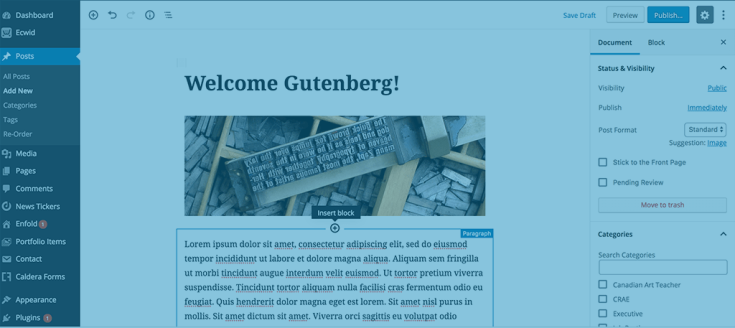
It appears that the ability to embed YouTube videos is built right into the platform, making the use of third-party plugins unnecessary. With prior WordPress versions, you would have to post in the non-visual editor mode to post a YouTube video. Otherwise the WYSIWYG editor would botch the YouTube formating. I wont know for certain until I try to embed a video, but it looks like I should be able to do it.
If you are a WordPress user and you are wondering about doing the 2.5 upgrade, by all means do it.
Posted In WordPress | Permalink | 1 Comment
Thursday, February 7, 2008
I didn’t realize that Feedburner offered the option of email subscription until I subscribed to someone’s Feedburner feed today and I had the option of subscribing by email. It was then that I put two and two together. I guess I should go over to Feedburner every once in a while and check out what they have to offer.
So if you would like to subscribe to my blog’s feed by email, you may now do so.
Posted In WordPress | Permalink | 1 Comment